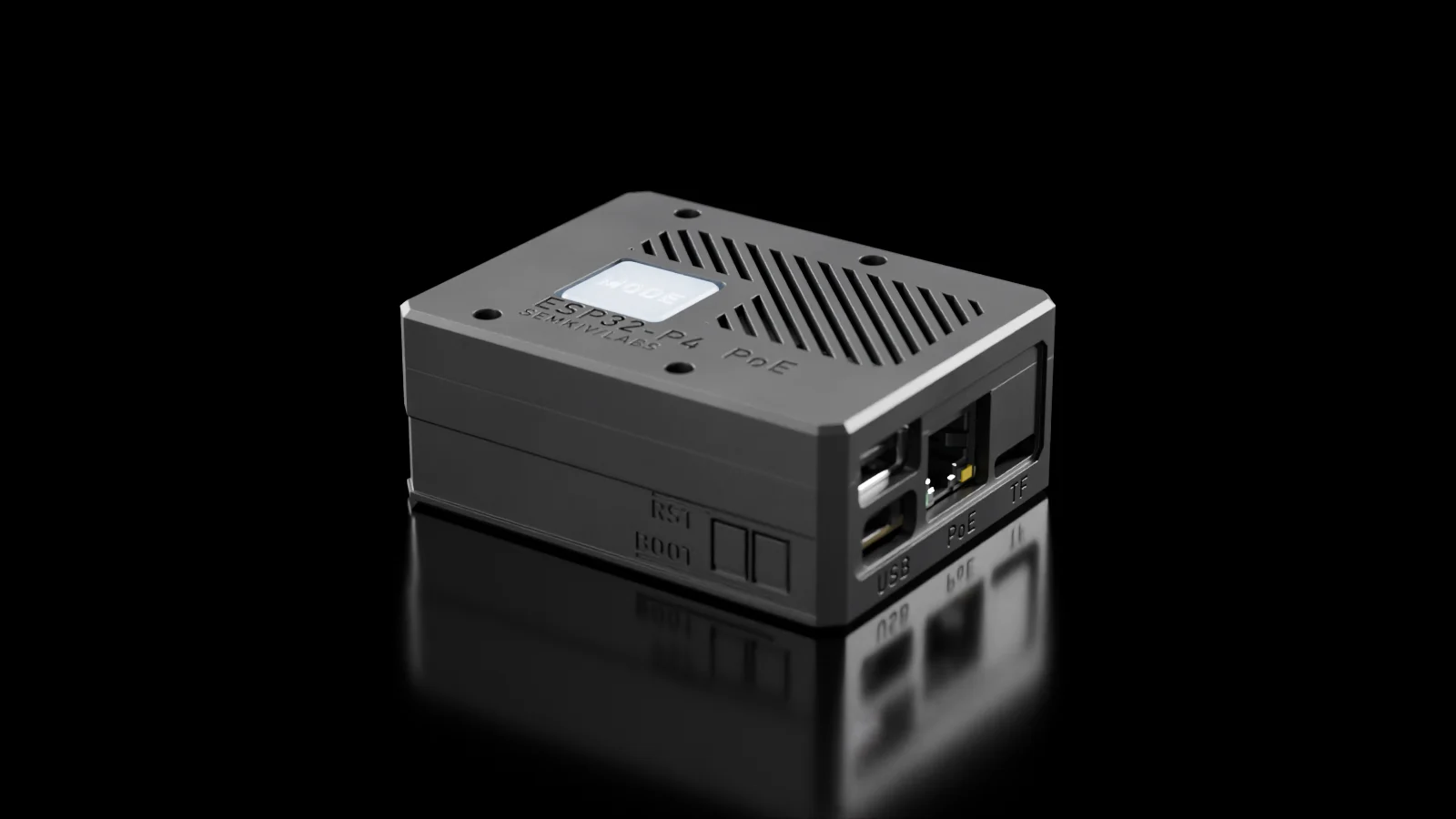
PoE dock for Bitfocus Companion
Put a Stream Deck anywhere the network reaches.
Companion Dock is a small Power-over-Ethernet box that connects USB Elgato Stream Decks to Bitfocus Companion over the network. One cable brings power and network.
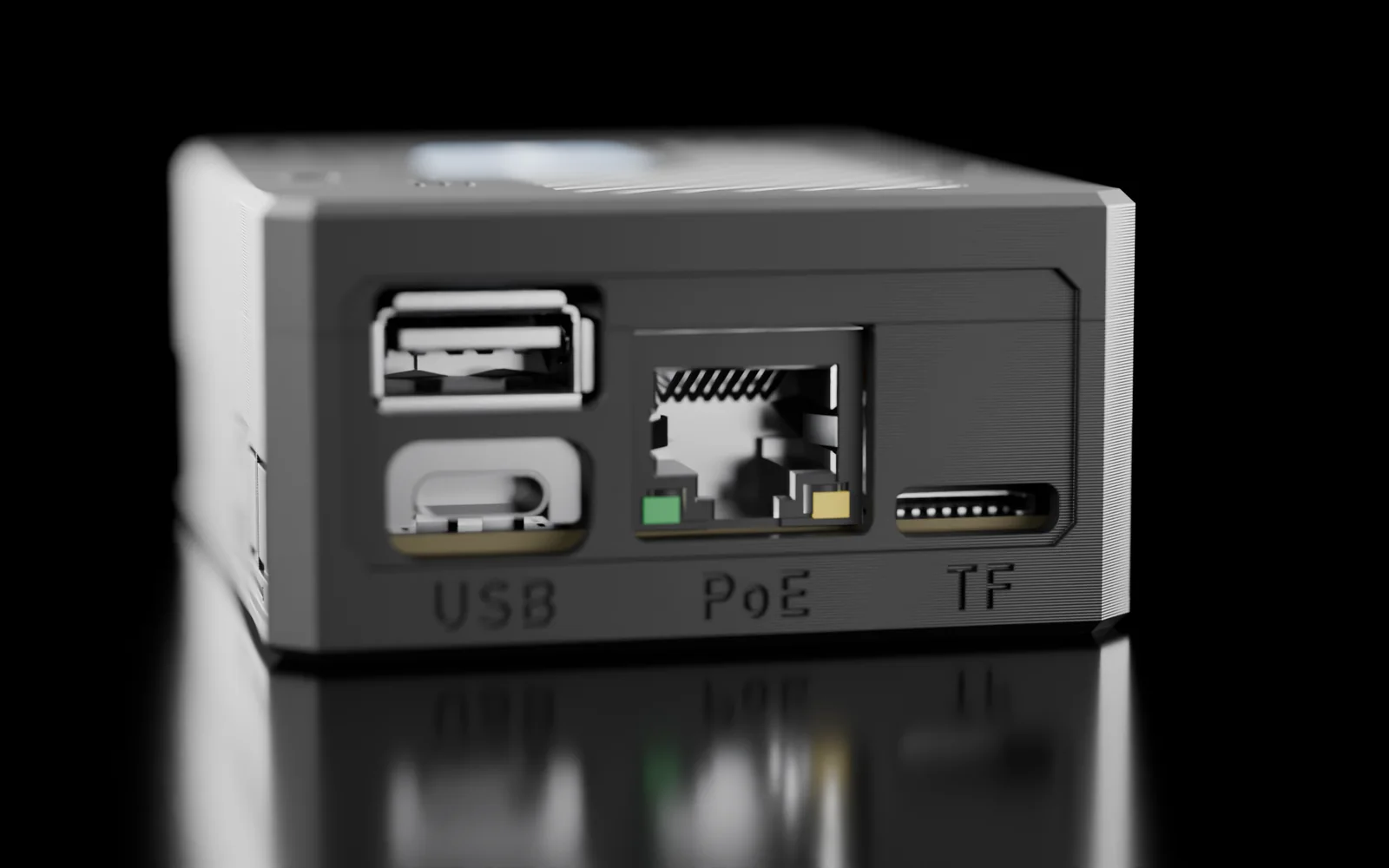
USB · PoE · TF
One cable in.
802.3af PoE powers the box and the decks. USB-A takes a deck or a hub. USB-C is for flashing, or for power when you run it on Wi-Fi.
ESP32-P4
A $25 board inside.
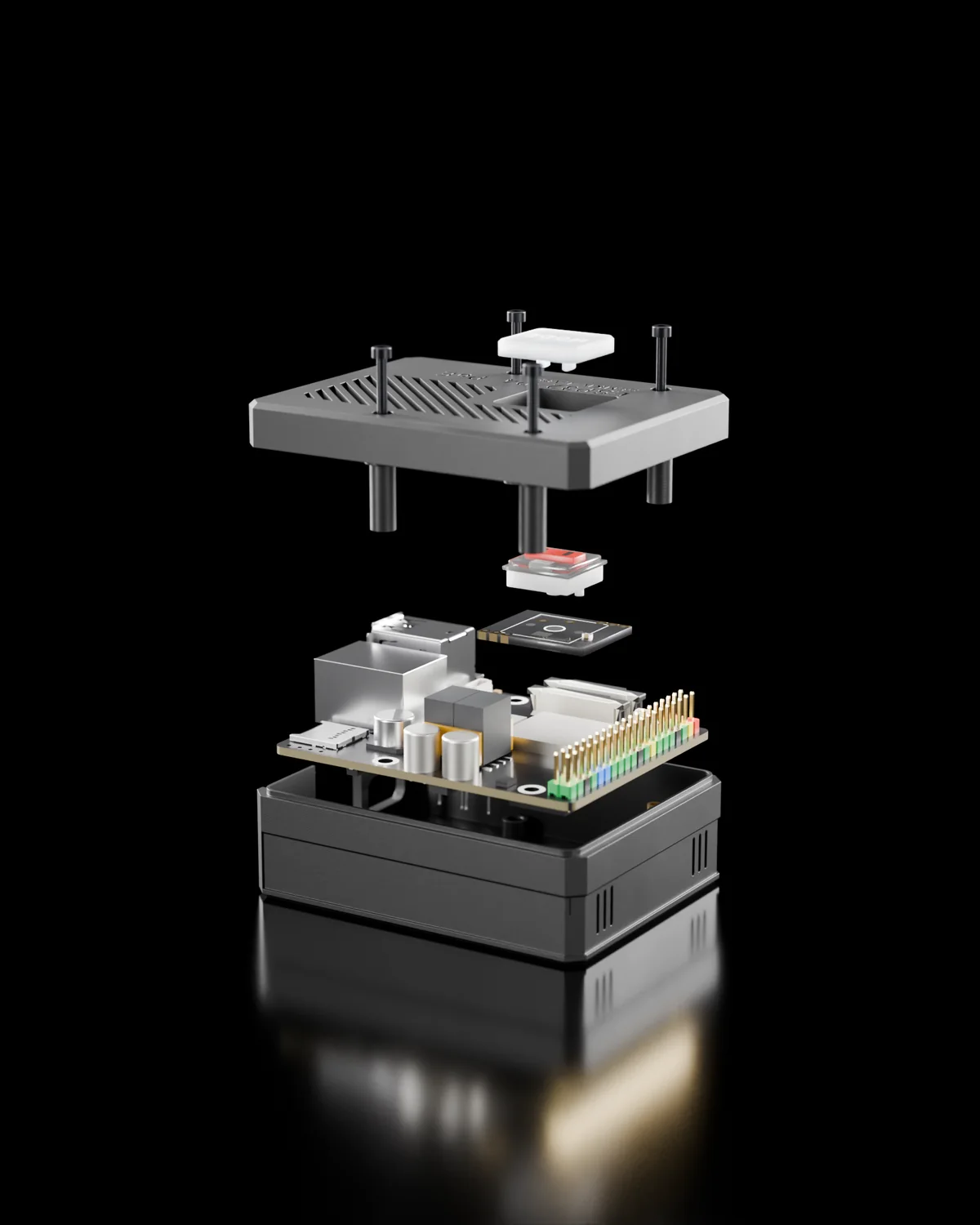
A Waveshare ESP32-P4 board with Ethernet, PoE and Wi-Fi 6, in a printed case held by four M2 screws. No SD card, nothing to log in to. About $33 in parts.
Boot
Ready in about 5 seconds.
It comes back by itself after power cuts, network outages and Companion restarts.
Why
The computer running Companion is usually somewhere else.
Companion drives Stream Decks well when they are plugged into the computer that runs it. On a stage, at a lectern or in a control room down the corridor, that computer is often not there.
The usual answer is a Raspberry Pi with a PoE HAT running Companion Satellite. It works, but it has an SD card, takes a while to boot and needs looking after.
Companion Dock is firmware for a $25 ESP32-P4 board. Plug the decks into its USB port and Companion sees them as if they were plugged into the Companion machine. Setup happens on the decks themselves and on a small web page.
- Start-up
- ~5 s
- Parts for the box
- ~$33
- SD cards
- 0
- Decks per box
- 2 up to 4
Features
What the firmware does.
-
Two ways to connect
Network Dock mode speaks Elgato's Network Dock protocol, so Companion adds each deck as its own remote surface. Satellite mode speaks Companion's Satellite API: Companion finds the box and adds every deck by itself.
-
Every current USB Stream Deck
Original, MK.2, Mini, XL, Module 6, 15 and 32, Stream Deck +, + XL, Neo and the Pedal. Each deck keeps its Companion page across replugs and reboots.
-
A box menu on the decks
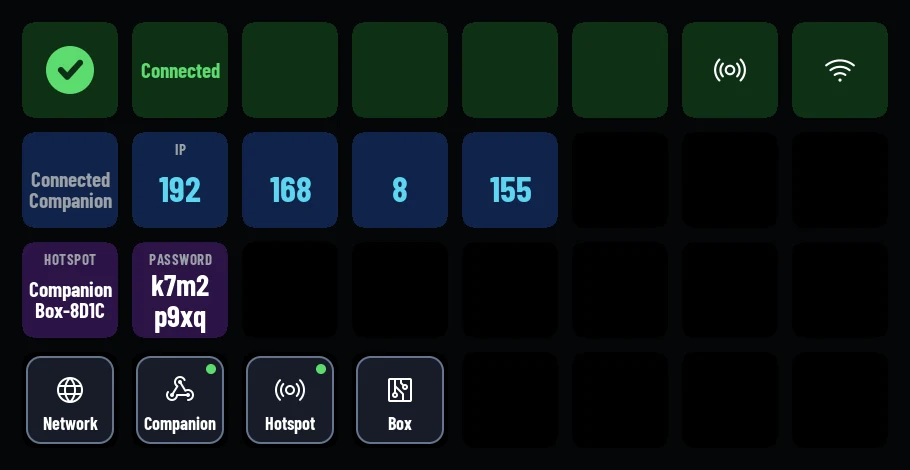
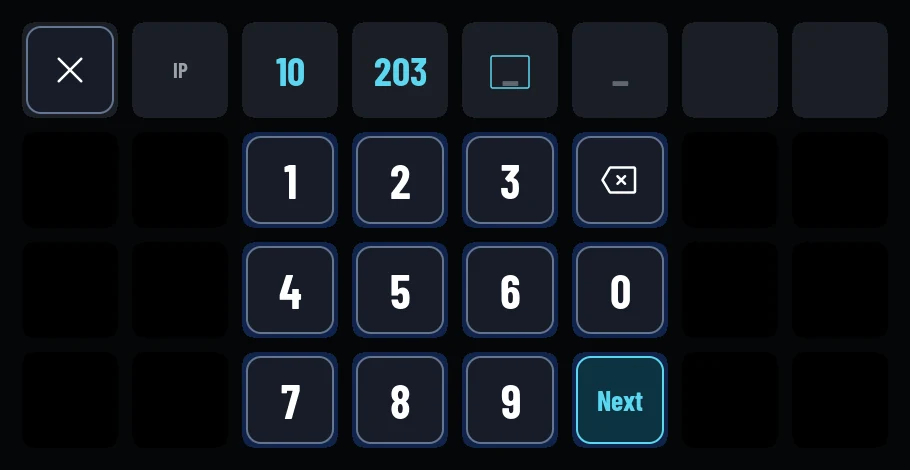
While Companion isn't driving a deck, it shows the box's own screens: state, address, Network, Companion, Hotspot and Box settings.
-
A web page
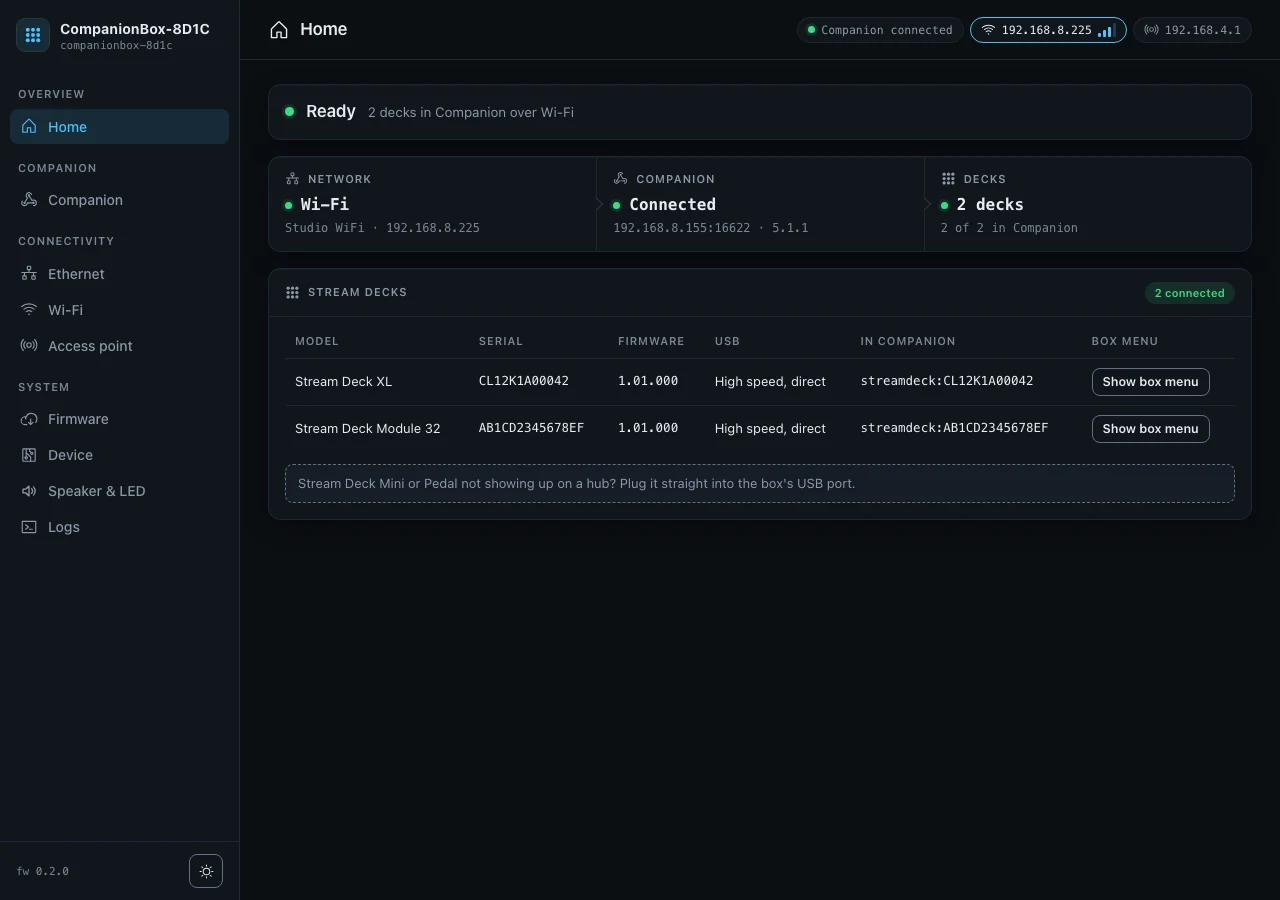
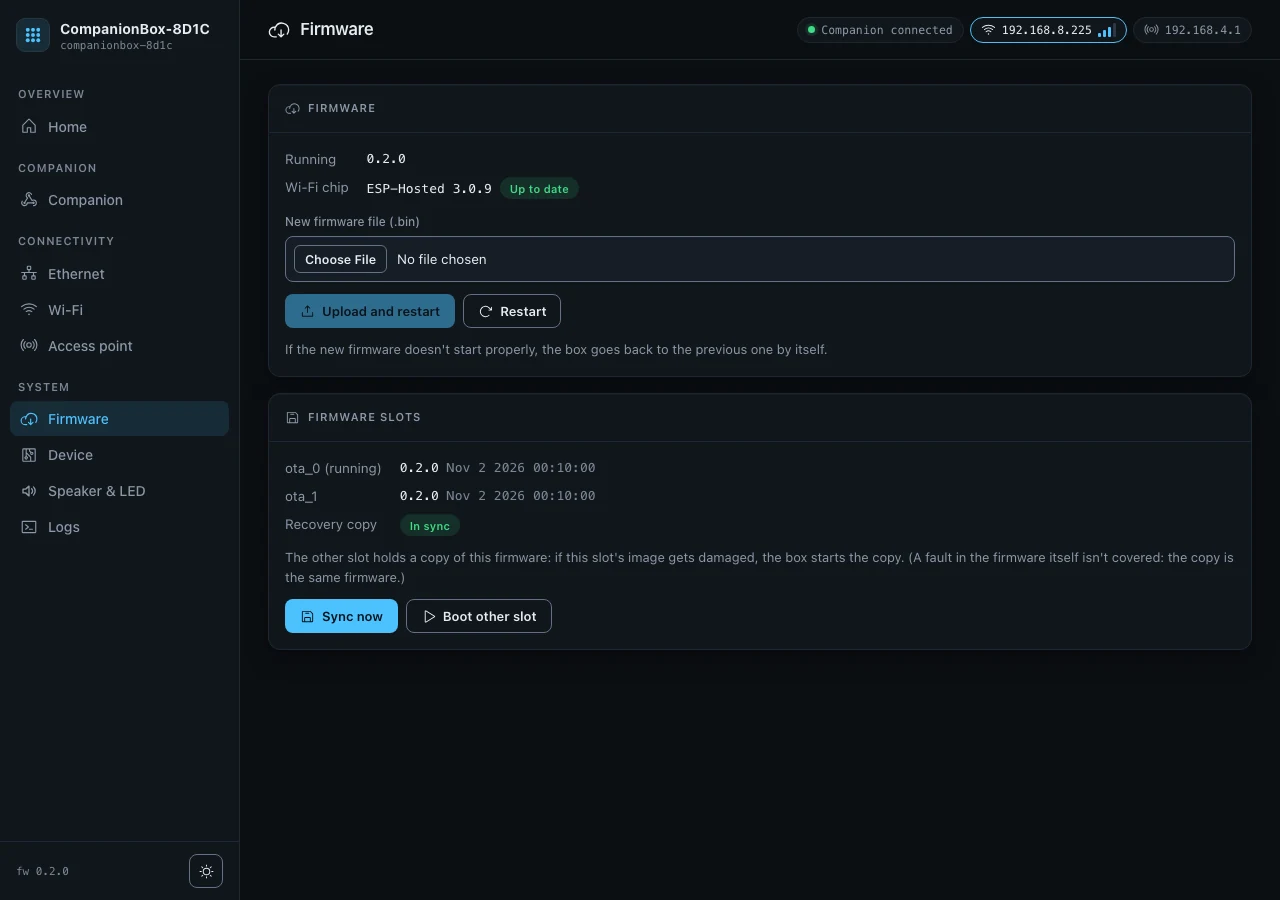
Status, settings, firmware updates and the log, laid out for a phone as well as a desktop.
-
Ethernet and Wi-Fi
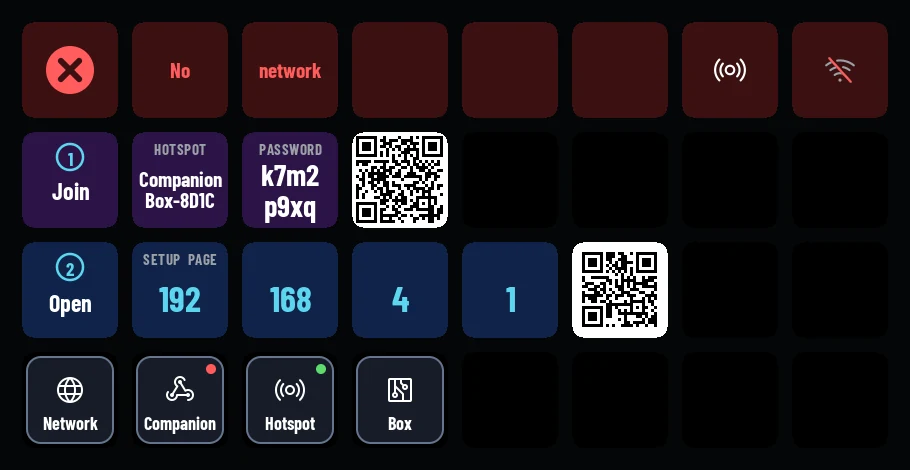
A backup Wi-Fi network for when the main one is out of reach, and a setup hotspot. The decks show QR codes to join it and open the setup page.
-
Updates that roll back
Firmware uploads from the web page into two slots. A new image checks itself and the box rolls back if it fails. The other slot keeps a recovery copy.
-
A settings PIN
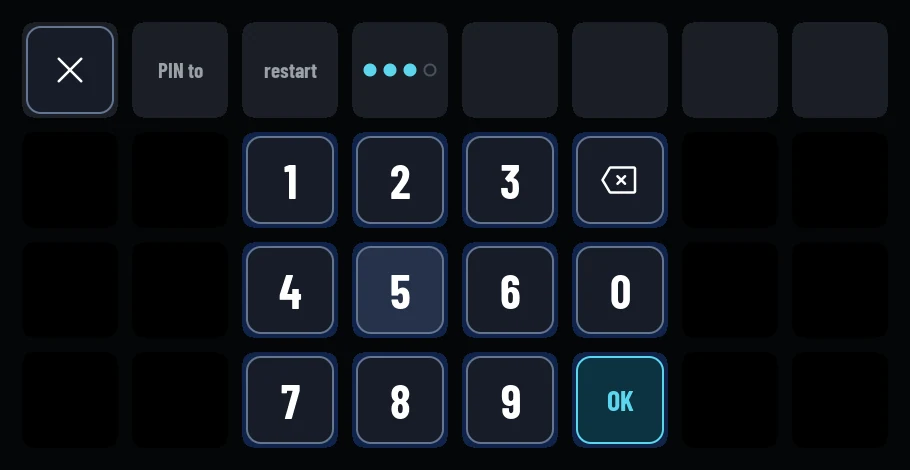
4 to 8 digits. It locks the web page and the decks' risky keys. On a deck, a PIN pad opens them.
-
A speaker and a status light
The speaker chimes when the box is ready and when Companion connects. One NeoPixel shows the state in colour. Find my box beeps and blinks.
Setup
No computer at the desk.
With no network yet, a deck shows two QR codes: one to join the box's hotspot, one to open the setup page. After that the deck shows the box's address and what to enter in Companion.
Case
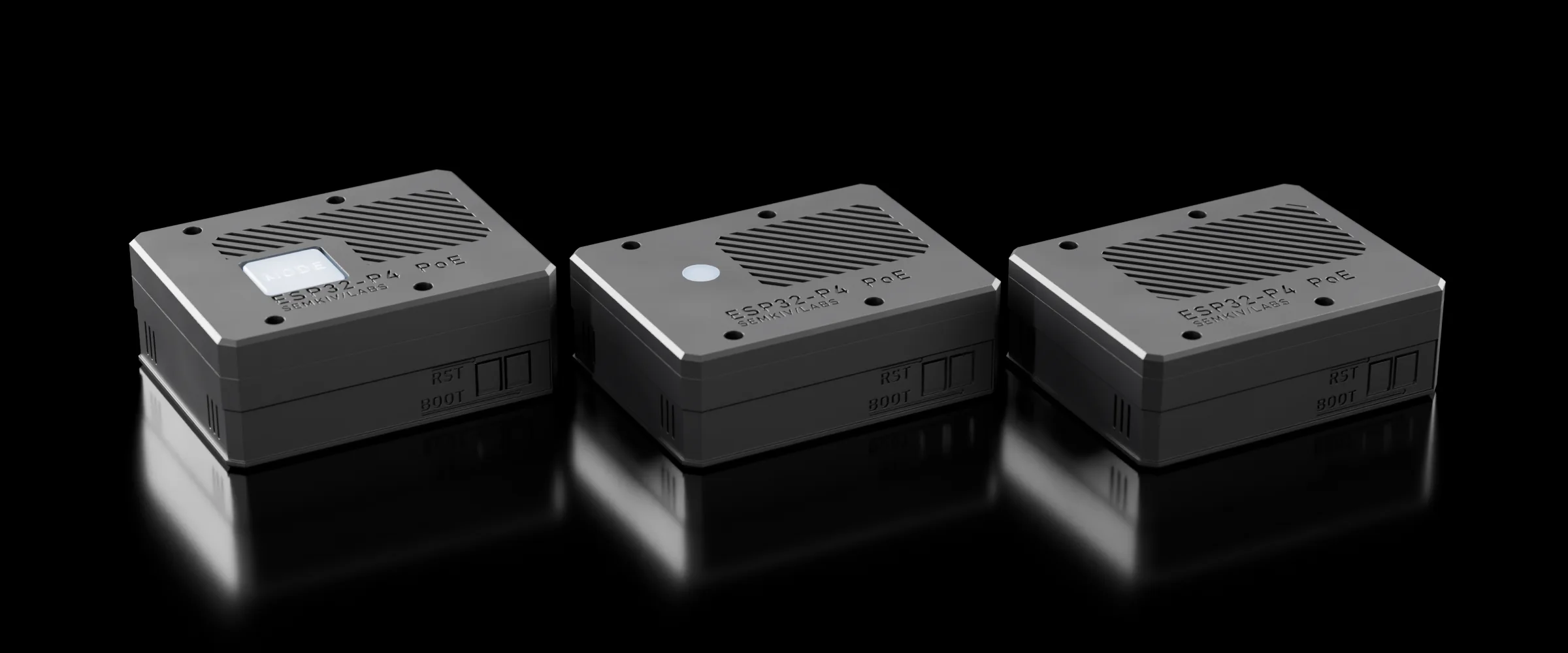
Print it. Three lids, one base.
A 3D-printable case for the Waveshare board. All three variants share the same base and screws; only the lid changes. One .3mf file per variant holds every printed part.
-
Button
A Kailh Choc v1 key with a NeoPixel, the keycap flush with the lid. The key is the box's service button: a short press opens the box menu.
75.7 × 59.0 × 30.0 mm
-
LED
A NeoPixel status window with a light-pipe diffuser.
75.7 × 59.0 × 26.5 mm
-
Slim
A plain lid with the logo and the grille. No light, no key.
75.7 × 59.0 × 26.5 mm
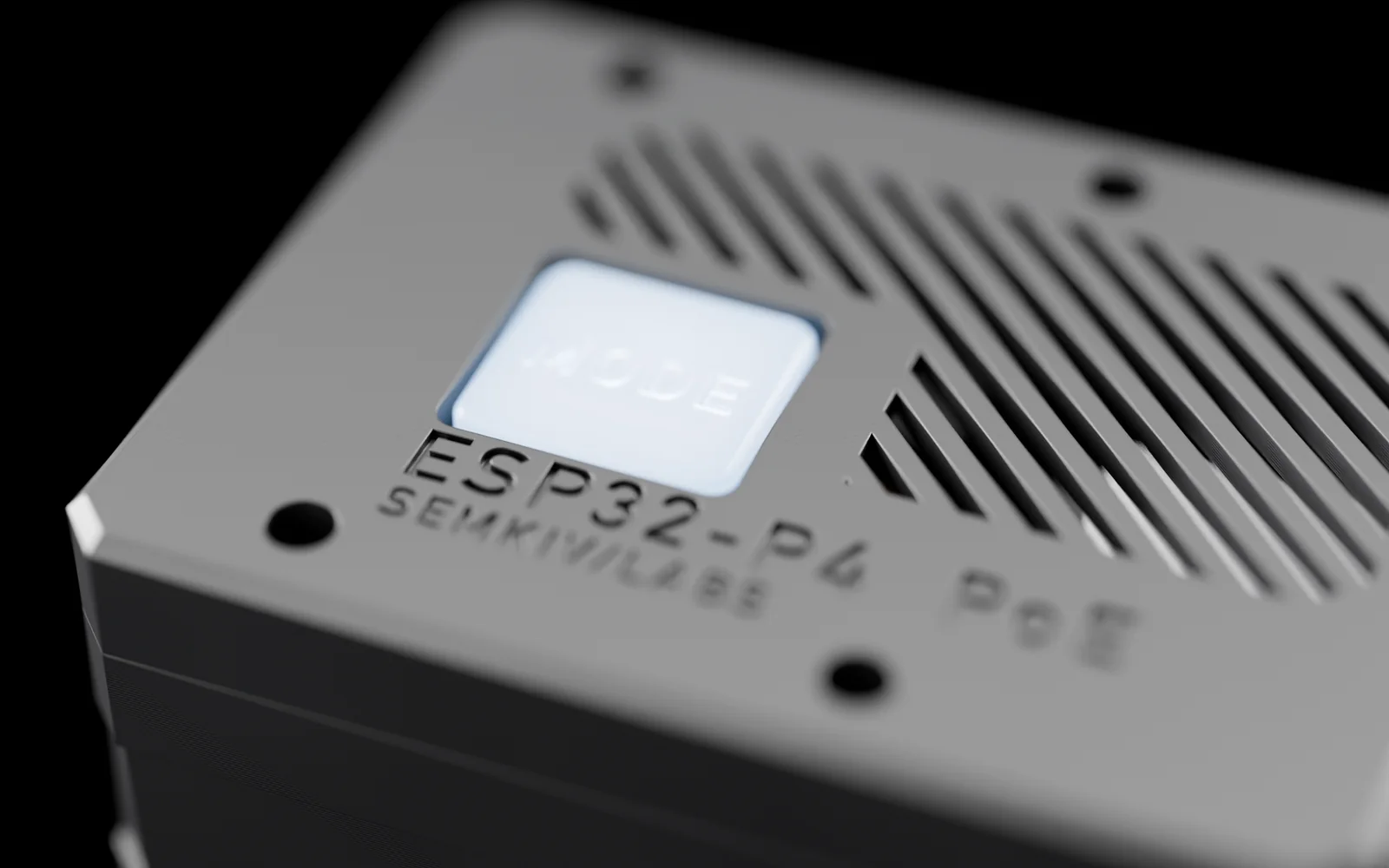
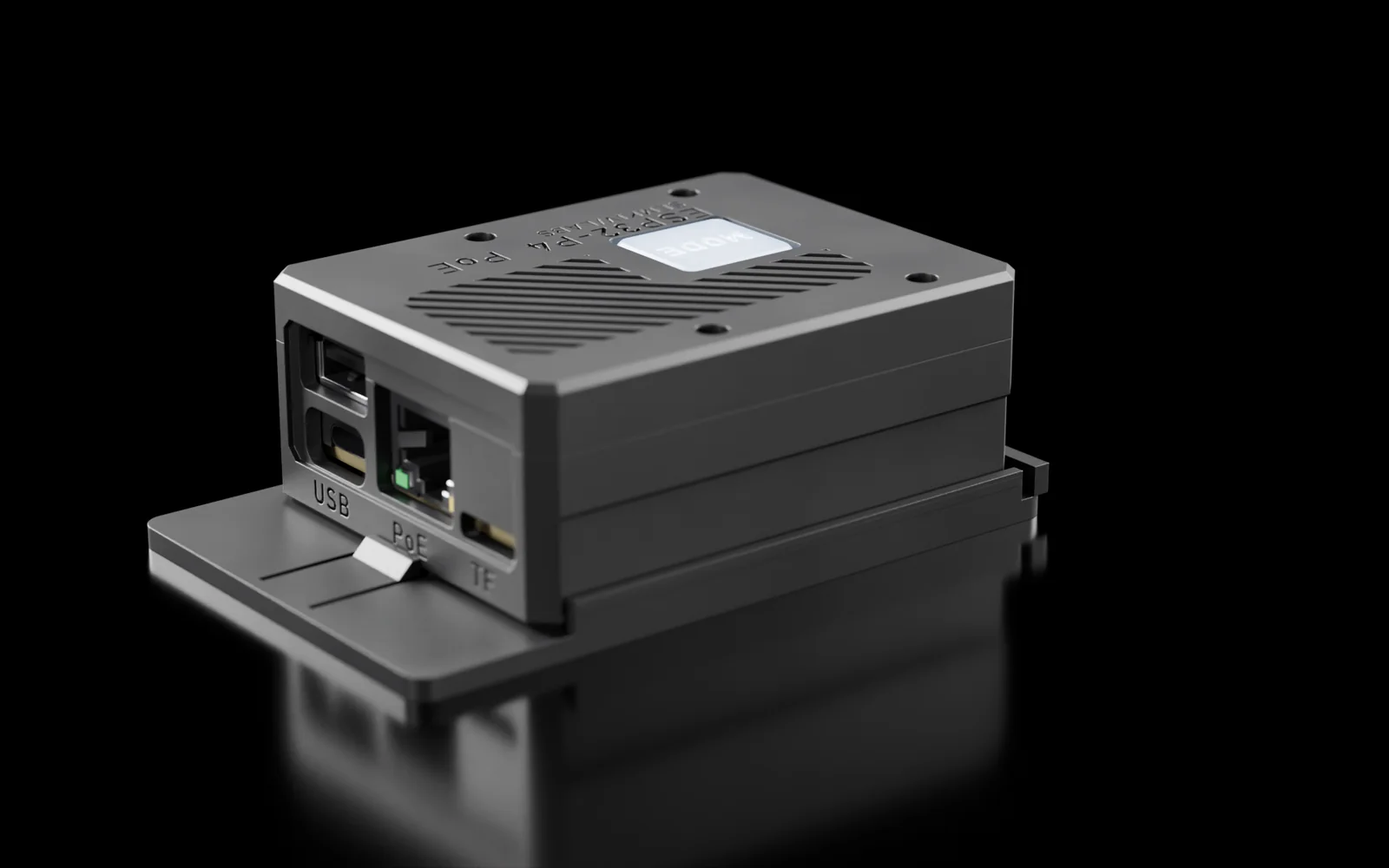
Flexure tabs reach BOOT and RST through the wall. A pocket inside the wall holds a flex Wi-Fi antenna. Four M2 heat-set inserts and M2 × 20 screws close it. Bill of materials, print settings and wiring are in the case guide.
Hardware
What it takes.
| Part | Price | Notes |
|---|---|---|
| Waveshare ESP32-P4-WIFI6-POE-ETH | $24.99 | ESP32-P4 with 32 MB PSRAM, Ethernet, 802.3af PoE, an ESP32-C6 for Wi-Fi 6. Comes with a speaker, an antenna and cables. |
| Adafruit NeoPixel #1312 | $7.95 for 5 | Optional status light. You need one. |
| PoE switch or injector | 802.3af. Or USB-C power and Wi-Fi. |
Prices from the vendors' sites, November 2026, shipping not included.
| The decks are powered by | Decks |
|---|---|
| PoE (802.3af), through an unpowered hub | Tested: 2 XL and a Mini, or 3 XL while their pages change little |
| USB-C, 5 V at 3 A or more (Wi-Fi only), through an unpowered hub | 3 at full draw, 4 often (estimate) |
| A powered hub, the box on PoE or USB-C | 4, the firmware's maximum (estimate) |
The box takes 2 decks by default; the web page can allow 4. A full-speed deck (some older Minis, the Pedal) only works plugged into the box directly, on its own.
Get started
Three steps.
-
Flash the firmware
Open the browser installer in Chrome or Edge, connect the board's USB-C port and press Connect and install. It fetches the latest firmware, checks it, writes it and verifies it. Nothing to install.
Open the installer -
Set it up
Plug in the network cable, or USB-C power, and a deck. With Ethernet and DHCP the box is on the network straight away and the deck shows its address. With no network, scan the QR codes on the deck.
-
Add it in Companion
In Network Dock mode, add a remote surface in Companion 5 with the box's IP and port
Read the manual5343for the first deck,5345for the second. In Satellite mode the decks appear by themselves.
Buy from the developer
Rather not build it? I'll build one for you.
I build Companion Docks to order: the board in a printed case with the lid you choose, assembled and flashed with the current firmware.
Tell me which lid (Button, LED or Slim), how many units and where they ship. I'll reply with a price and a lead time.
Roman Semkiv, Semkiv/Labs.
The firmware is free. Coffee helps.
If Companion Dock saved you a Raspberry Pi and an afternoon, you can support the work on it.
FAQ
Questions.
What is Companion Dock?
Firmware for a Waveshare ESP32-P4-WIFI6-POE-ETH board. One network cable gives it power and network. You plug USB Elgato Stream Decks into it and Bitfocus Companion sees them as if they were plugged into the Companion machine.
Which Stream Decks does it work with?
Every current USB Stream Deck: Original, MK.2, Mini, XL, Module 6, 15 and 32, Stream Deck +, + XL, Neo and the Pedal. On real hardware it has run with the Module 32, the XL and the Mini. The other models follow Elgato's documented protocol and are checked in renders and host tests. Reports are welcome.
How many Stream Decks can one box run?
Two by default and four at most. The box has one USB-A port, so two or more decks go through a USB 2.0 high-speed hub. On PoE alone, through an unpowered hub, 2 XL and a Mini have been tested, and 3 XL while their pages change little. A powered hub gives the extra decks their own power.
Does it work without PoE?
Yes. Power it over USB-C and use Wi-Fi. It supports a primary and a backup Wi-Fi network and has a setup hotspot.
How does it connect to Companion?
Two ways. Network Dock mode speaks Elgato's Network Dock protocol, so Companion adds each deck as its own remote surface. Satellite mode speaks Companion's Satellite API, so Companion finds the box and adds every deck by itself.
What is the licence?
PolyForm Shield 1.0.0. You may use, change and share the firmware and the case files for any purpose, at work too, except to provide a product that competes with Companion Dock, such as selling the firmware, a fork of it, or devices that run it.
Can I buy one assembled?
Yes. I build units to order. Email or message me with the lid variant and quantity.